

|
|
||||||||||||
|
|
|
|
|
|
|
|
|
|
|
|
|
|
|
|
||||||||||||
|
|
|
 |
| |
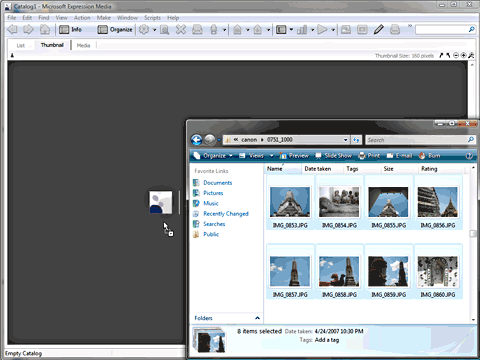
Drag and Drop Media
Open any folder that contains a bunch of files, select them -- and drag them to the purple-grey icon. As soon as you get close to this icon, the cursor will include a plus (+) sign. Let go off, and drop the files here. If you are not too much of a drag and drop type, you can achieve the same result by choosing File | Import Items | from Files/Folders (or press Ctrl + I) I imported a bunch of pictures I took on a vacation to Bangkok -- you can find these photos on my Flickr account.
|
|
|||||||||
|
Home | Learn PowerPoint | Create Outlines | View Ideas | You Speak | Learn More
|