

|
|
||||||||||||
|
|
|
|
|
|
|
|
|
|
|
|
|
|
|
|
||||||||||||
|
|
|
 |
| |
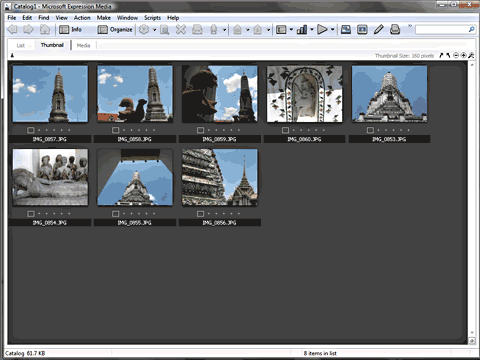
Import Done
Once the import is done, you'll see thumbnails of the imported media in your catalog. Anything that you import into Microsoft Expression Media is saved in a catalog file, and you can have any number of catalogs. Since we never created a new catalog, Expression Media created a new catalog to place the media we imported. So the first thing you need to do now is save it. I show you how to do that next.
|
|
|||||||||
|
Home | Learn PowerPoint | Create Outlines | View Ideas | You Speak | Learn More
|